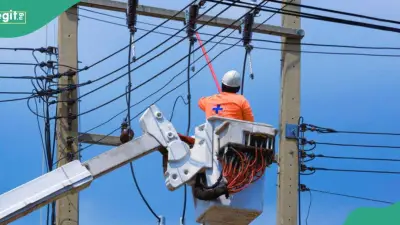


MTN Fibre X delivers uninterrupted high-speed internet with zero throttling, no setup fees, and uncapped unlimited data. Users can stream in 4K/8K, game online, and connect multiple devices without interruptions or hidden costs. The service includes free installation and a complimentary router.
Key Takeaways
- No Fair Usage Policy ensures consistent speeds 24/7 without throttling.
- Free installation and router provided with subscription.
- No data caps or tracking limits; supports 4K/8K streaming, video calls, and large downloads.
- Plans range from 50 Mbps to 1 Gbps, all valid for 30 days.
- Available in select high-density areas across 15 states.
What Are MTN Fibre X Bundles?
MTN Fibre X bundles are fibre-to-the-home broadband services offering high-capacity, low-latency internet. Unlike 4G/5G routers, Fibre X uses fibre-optic cables for a direct connection, ensuring consistent speeds and reduced latency. These bundles are ideal for streaming, gaming, video conferencing, and connecting multiple devices.
Requirements to Activate MTN Fibre X
- Valid Nigerian NIN and account holder must be at least 18 years old.
- Residence or workplace must be in a fibre-mapped area.
- Sufficient funds for activation cost (₦30,000 to ₦200,000).
- Permission for MTN engineering team to access premises for installation.
How to Subscribe to MTN Fibre X
Using the Web (MTN eShop)
Visit the MTN eShop, select the Unlimited Fibernet Base Plan, choose your region, state, city, cluster, and estate. Pick a speed tier and installation date. Enter personal details and NIN, complete payment, and await installation.

Using the myMTN NG App
Open the app, tap the Fibre X icon, select "Purchase a New Device" to check coverage. If eligible, choose a speed tier, pay, and confirm installation booking.
Physical MTN Walk-In Centres
Visit a service centre in a fibre-ready location. An agent checks coverage, verifies NIN, processes payment, and schedules installation.
Dedicated Fibre Support Telephone Line
Call 0803102170 or 217 from an MTN line. A representative verifies your address, creates an installation request, and guides payment.
MTN Fibre X Plans and Pricing
| Plan | Speed | Price (₦) |
|---|---|---|
| Prestige | 1 Gbps | 200,000 |
| Premium | 300 Mbps | 100,000 |
| Advanced | 200 Mbps | 70,000 |
| Standard | 100 Mbps | 45,000 |
| Basic | 50 Mbps | 30,000 |
All plans are valid for 30 days.
How to Check MTN Fibre X Subscription Status
Via USSD Code
Dial *312*500# or *461#, select Manage Broadband, and follow prompts to view plan and expiry.
Via MTN Broadband Web Portal
Log in with your Fibre X ID on the self-service portal to see subscription details.
Via myMTN NG App
Open the app, go to dashboard or Fibre X profile to view status and expiry.
How to Check Fibre X Coverage
MTN eShop Website
Visit the eShop, go to Unlimited Fibernet Base Plan, and use dropdowns to select location.
myMTN NG App
Log in, tap Fibre X icon, select "Purchase a New Device" to check if address is Fibre Ready.
Benefits of MTN Fibre X Bundles
- No data caps or hidden charges; predictable costs.
- Stable performance unaffected by weather or network congestion.
- Free hardware delivery and installation.
- Priority support via 08031021700 or 217.
What Is MTN Fibre X Used For?
Ideal for 4K/8K streaming, low-latency gaming, smart home automation, and remote work with large file transfers and video conferencing.
Pricing and Validity
Plans cost ₦30,000 to ₦200,000. All standard plans are valid for 30 days. Longer-term options (6-month and 1-year) are available.
Is Installation Free?
Yes, MTN offers free installation and a complimentary router with no upfront hardware cost. You only pay the activation fee.
MTN Fibre X delivers premium internet with unrestricted speeds, no setup fees, and unlimited data for heavy, uninterrupted use. It supports high-definition streaming, gaming, and smart home setups with flexible plans.